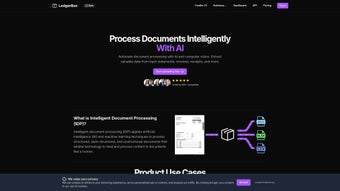

Download LedgerBox – AI‑Powered PDF to CSV Converter for Finance Professionals
Overview
LedgerBox is a cloud‑based, AI‑driven software application that instantly transforms bank‑statement PDFs into clean, ready‑to‑use CSV or Excel files. By leveraging proprietary computer‑vision models and natural‑language processing, the platform recognises tabular structures, currency symbols, dates, and transaction descriptions across a wide variety of banking formats. The result is a perfectly structured spreadsheet that can be imported directly into accounting tools such as QuickBooks, Xero, or any custom ERP system.
LedgerBox was built with finance professionals in mind – accountants, bookkeepers, CFOs, and even individual investors who need to reconcile statements without spending hours on manual data entry. The service offers a generous free tier that allows three conversions per day, making it ideal for occasional personal use, while tiered subscription plans provide unlimited conversions, priority processing, and advanced security features for small businesses and large enterprises. Security is a core pillar: all uploads travel over TLS 1.3, temporary files are stored in AES‑256 encrypted containers, and every document is automatically deleted within 30 minutes of successful conversion.
The platform complies with GDPR, CCPA, and ISO‑27001 standards, ensuring that sensitive financial data remains confidential. Whether you are reconciling a single month’s statement or processing hundreds of PDFs from multinational banks, LedgerBox scales effortlessly thanks to its serverless architecture, offering consistent performance across Windows, macOS, Linux, Android, and iOS devices. By removing the tedious steps of copy‑and‑paste, LedgerBox not only saves time but also reduces the risk of human error, allowing finance teams to focus on analysis rather than data preparation.
Key Features & Compatibility
- Instant AI conversion: Turn PDF statements into CSV or Excel in seconds using models trained on millions of banking documents.
- Global bank coverage: Supports statements from thousands of banks across North America, Europe, APAC, and emerging markets.
- End‑to‑end encryption: TLS 1.3 for data in transit, AES‑256 for data at rest, and automatic deletion after processing.
- Batch processing: Upload multiple PDFs at once; the platform queues and processes them in parallel for maximum efficiency.
- Smart field mapping: Auto‑detects date, description, amount, and balance even when layouts differ.
- Export flexibility: Choose CSV, Excel (.xlsx), or JSON for downstream integration with BI tools.
- Developer API: RESTful endpoints with OAuth 2.0 allow embedding conversion capabilities into internal workflows.
- Usage analytics dashboard: Real‑time metrics on conversion count, success rate, and processing time per document.
- Multi‑language OCR: Recognises statements in English, Spanish, French, German, Mandarin and many other languages.
- Scalable pricing: Free daily tier plus paid plans starting at $9.99 /mo for occasional users, with enterprise contracts for high volume.
LedgerBox runs entirely in the browser, making it compatible with any modern operating system that supports HTML5 and TLS 1.2 or higher. Users can access the service from Windows 10/11, macOS Monterey or later, Linux desktops, as well as mobile devices running Android 8.0+ or iOS 13+. No additional plugins, Java, or .NET runtimes are required. For organizations with strict network policies, LedgerBox offers IP whitelisting and proxy support, ensuring seamless integration into corporate firewalls while maintaining the same level of encryption and compliance.
Installation & Usage Instructions
Because LedgerBox is a SaaS solution, there is no traditional software installation. Getting started takes only a few minutes:
- Create an account: Visit ledgerbox.com, click “Sign Up”, provide a valid email address, set a strong password, and verify your account via the confirmation email.
- Optional identity verification: For higher‑volume plans, you may be asked to upload a government‑issued ID. This step is encrypted, stored securely, and helps prevent fraud.
- Upload your PDF: After logging in, navigate to the “Convert” tab. Drag‑and‑drop the statement or click “Browse” to select files from your computer, Google Drive, Dropbox, or OneDrive.
- Select output format: Choose CSV, Excel, or JSON. You can also customise column headers or map fields to match your internal data schema.
- Start conversion: Click “Convert Now”. The AI engine parses each page, extracts transaction rows, and generates the output file. A progress bar shows real‑time status, typically under 10 seconds for a single‑page PDF.
- Download or integrate: Once processing finishes, a download button appears. API users receive a secure URL that can be fetched programmatically.
- Review & edit: Open the CSV in Excel or Google Sheets to confirm accuracy. LedgerBox highlights ambiguous rows for manual review, reducing the chance of missed entries.
Power users can automate the workflow with the REST API. The API documentation (ledgerbox.com/docs/api) provides code snippets in Python, Node.js, and Java. Authentication uses OAuth 2.0; after creating an API client, you obtain a client ID and secret, request an access token, and include it in the Authorization header of each request. The response payload contains a status field, a secure download URL, and optional processing logs, enabling seamless batch conversions directly from your accounting system.
Pros and Cons
Pros
- Lightning‑fast AI conversion eliminates manual data entry.
- Broad bank coverage reduces the need for multiple conversion tools.
- End‑to‑end encryption safeguards confidential financial data.
- Scalable cloud infrastructure handles both small batches and enterprise‑level loads.
- Free daily tier makes the service accessible for occasional users.
- Rich API enables seamless integration with existing finance stacks.
- Multi‑language OCR expands usability for global teams.
- User‑friendly web UI requires no training or installations.
- Detailed usage analytics help monitor conversion efficiency.
- Compliance with GDPR, CCPA, and ISO‑27001 provides peace of mind.
Cons
- Requires an internet connection; offline conversion is not supported.
- Highly custom statement layouts may need occasional manual correction.
- Subscription costs can add up for very high‑volume enterprises.
- Initial account verification may feel cumbersome for some users.
- Limited to PDF inputs; pure image scans need a separate OCR step.
Conclusion & Call to Action
LedgerBox stands out as a secure, AI‑powered solution that dramatically reduces the time and effort required to transform bank statements into actionable data. Its combination of global bank coverage, rapid cloud processing, and robust security makes it a compelling choice for anyone who regularly works with financial PDFs—whether you’re an independent accountant, a small‑business owner, or part of a large enterprise finance team. The free daily tier and flexible subscription plans let you scale usage without compromising privacy or accuracy.
Ready to eliminate manual data entry and boost your financial workflow? Sign up for a free account today and experience instant PDF‑to‑CSV conversion. For developers, explore the API documentation and embed LedgerBox directly into your accounting stack. Transform your bank statements with confidence—download LedgerBox now and let AI do the heavy lifting.
Frequently Asked Questions
How secure is my data during the conversion process?
LedgerBox encrypts all uploads with TLS 1.3 and stores temporary files in AES‑256 encrypted containers. Files are automatically deleted from the server within 30 minutes after a successful conversion, ensuring that no sensitive information remains accessible.
Can LedgerBox handle multi‑page statements?
Yes. The AI engine parses each page sequentially, preserving the original order of transactions. For very large PDFs (over 100 pages), the system may split the job into chunks, but the final CSV will still present a single, continuous ledger.
What formats can I export to besides CSV?
In addition to CSV, LedgerBox supports Excel (.xlsx) and JSON. The JSON output follows a standardized schema, making it ideal for direct ingestion into accounting APIs or custom dashboards.
Is there a limit on the number of free conversions per day?
The free tier allows up to three PDF conversions per day, which is sufficient for occasional personal use. If you need more, the paid plans start at $9.99 per month and increase based on conversion volume.
How does the API authentication work?
LedgerBox uses OAuth 2.0. After creating an API client in your dashboard, you receive a client ID and secret. Generate an access token via the token endpoint, then include the token in the Authorization header of each request.






